Use CASCAQit IDE
CASCAQit IDE brings notebooks, Digital and Analog editors, and simulation results into one workspace. With a platform account, you can start learning in your browser without installing the SDK on your computer.
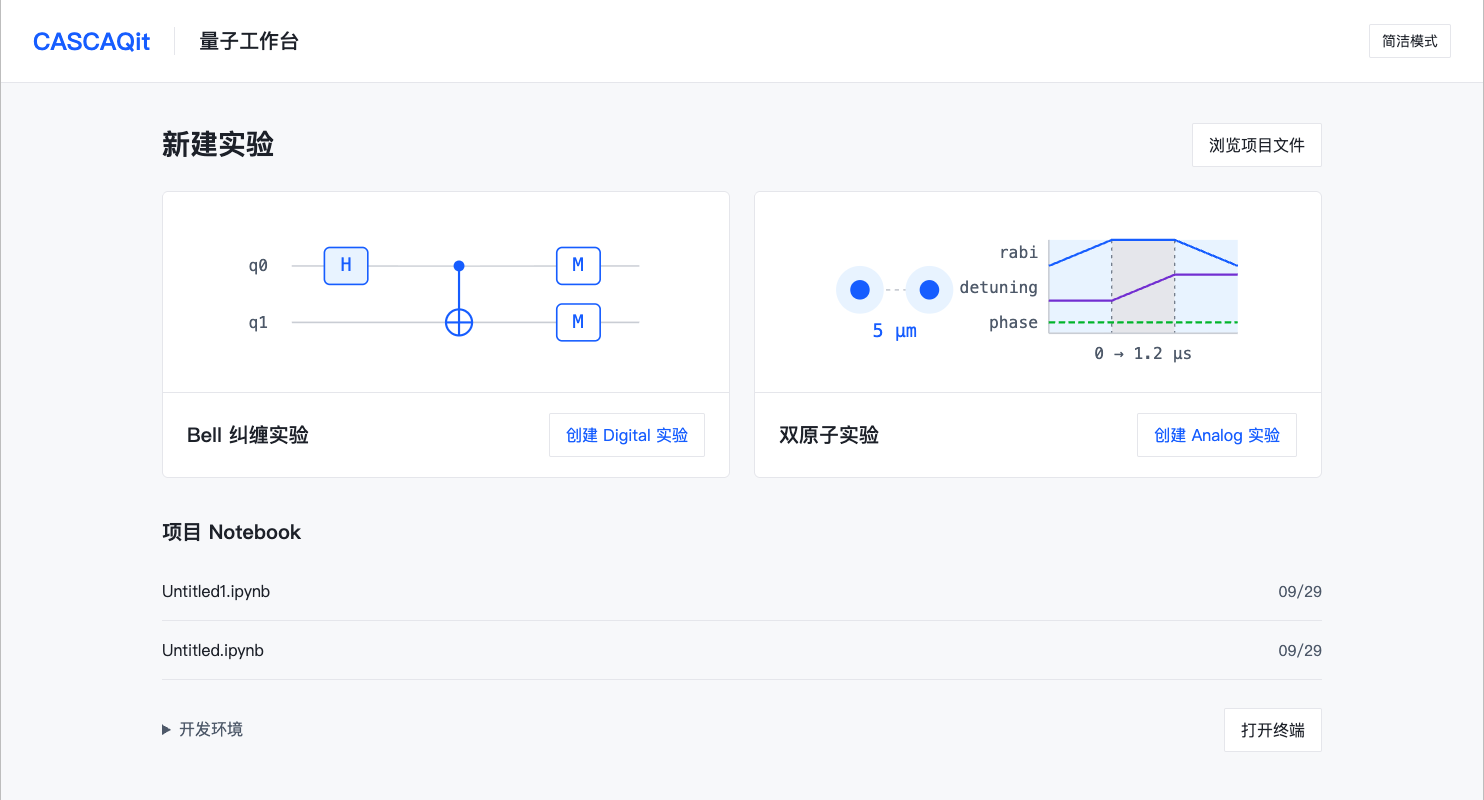
Create a Bell circuit on the left or a two-atom experiment on the right. Existing notebooks appear below. Open full-size image
Screenshots were captured on 2026-09-29. The sign-in page comes from the public platform; the workbench, editors and results come from an isolated test environment using the platform distribution of SDK 1.0.8a0 and extension 0.2.0a1+ide.ee39d64.1. Your deployed version may look different.
Choose an entry point
| Your situation | Start here |
|---|---|
| You have a platform account | Open CASCAQit IDE and follow Create and enter an environment |
| You want to work on your own computer | Install the matching wheels supplied by the maintainer; see Local Jupyter |
| You can already open a notebook | Check your kernel, run a Bell circuit and save the result in Your first notebook experiment |
An administrator creates platform accounts. Access to this documentation does not grant an IDE account or permission to download private source code and packages.
How the projects fit together
| Project | Responsibility |
|---|---|
| CASCAQit-Jupyter | The JupyterLab 4 / Notebook 7 workbench, visual editors, program and result displays, and the Python kernel companion |
| cascaqit-ide | Accounts, quotas, environment creation and lifecycle, authenticated workspace access, and persistent files |
| CASCAQit SDK | Program definitions, validation, simulation and results; notebooks and Python scripts use the same public API |
The IDE can run on a cloud server. LocalBackend · 本地模拟 means computation inside the environment's Python process. Opening a hosted IDE does not submit the experiment to a quantum device.
A route through the workspace
- Create and enter an environment, then learn how to stop and restart it.
- Run a notebook and check counts, probabilities and package versions.
- Rebuild the Bell circuit in the Digital editor, then explore a two-atom experiment in the Analog editor.
- Save and export your work, reopen the workspace, and check the saved files.
For Hybrid programs, local controls and optimization, write Python in a notebook using the relevant SDK course. The visual editors currently focus on Digital circuits and global Analog controls. They do not reverse arbitrary Python into a canvas or expose every SDK feature.
See IDE troubleshooting if a step fails. Controls can vary with the installed extension. This guide retains Chinese button labels where the current workbench uses them so you can find the matching control.